
How to Collaborate Across Time Zones Seamlessly

🌍 Time Zone Tango: How I Learned to Collaborate Globally Without Losing Sleep (or Sanity!)

Remember that time I set a 3 AM meeting with a Sydney teammate while chugging espresso at midnight? My cat gave me that “you’re an idiot” stare. 🐱👀

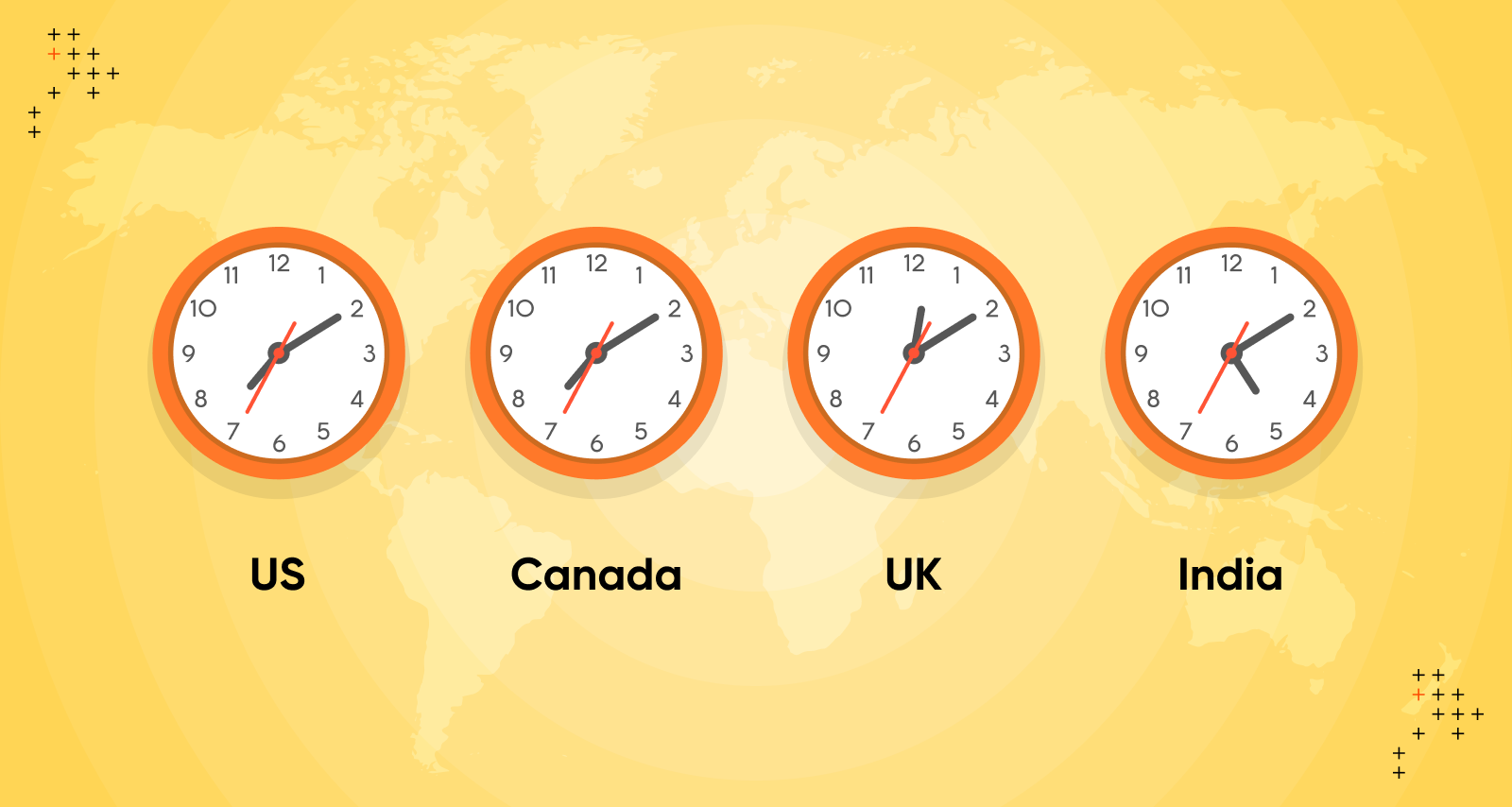
Time zone collaboration feels like juggling flaming torches while riding a unicycle—thrilling until you crash.

But here’s the secret: global teams are 43% more innovative (McKinsey), yet 68% of remote workers cite time zones as their top frustration (Buffer State of Remote Work). Let’s fix that.

⏰ Why Time Zones Are Your Secret Weapon (Not Your Enemy)

Picture this:

  • Designer in Bali finishes a logo at 5 PM

  • Developer in Berlin codes it at 9 AM

  • Marketer in NYC launches it by lunch

Voilà—a 24-hour workflow! Companies like GitLab and Doist run entirely async, boosting productivity by 30% (GitLab Remote Report). But mess it up? You get:

  • Burnout from 11 PM meetings 🥱

  • “Reply anxiety” when Slack pings haunt your dreams 💀

🛠️ 5 Game-Changing Strategies (Tested by My Time Zone Blunders)

1. Asynchronous First: Ditch the “Instant Reply” Trap

How to Collaborate Across Time Zones Seamlessly (1)

*My face when a teammate asked for real-time feedback on a doc I saw at 2 AM:* 😑

See also  Hit the Twitter/X Follow Limit: Safe Strategies for Account Health and Growth

Why it works:

  • Reduces meeting overload by 60% (Asana Study)

  • Lets deep work thrive across time zones

Tools I swear by:

  • Loom for video updates

  • Notion docs with @comments

  • Slack statuses like “🌙 Sleeping | Reply in 6h”

2. The “Golden Hours” Overlap Hack

Table: Find Your Team’s Collaboration Sweet Spot

Your Time Zone Teammate’s Zone Golden Hour Best For
PST (California) IST (India) 6-8 AM PST Quick syncs
EST (New York) GMT+8 (Singapore) 8-10 PM EST Brainstorms
CET (Paris) AEST (Sydney) 7-9 AM CET Decision-making

Pro tip: Use World Time Buddy to visualize overlaps instantly!

3. Time Zone Empathy: Beyond the Clock

That 8 AM call? For your Manila teammate, it’s family dinner time. 😬

  • 55% of global workers feel pressured to work odd hours (Remote.co Survey)

  • Solution: Rotate meeting times so everyone shares the pain (e.g., “London takes late calls this week; SF covers early next week”).

My rule: If someone’s working past 8 PM their time, reschedule. Burnout isn’t a badge of honor.

4. Document Like a Wikipedia Editor

I once spent 3 days decoding a project because the brief was buried under 200 Slack messages. Never again!

  • Teams with centralized docs save 12 hours/month (Atlassian)

  • Template I use:

1. GOAL: [What we’re building]  
2. CONTEXT: [Why it matters]  
3. ACTION STEPS: [Who does what by when]  
4. TIME ZONE NOTES: [e.g., "Jorge: submit by 5 PM GMT-3"]

5. Async Celebrations > Late-Night Zooms

When our Berlin-Mexico City team hit a milestone, we celebrated with:
How to Collaborate Across Time Zones Seamlessly (2)
  • Voice note party on Voxer 🎉

  • Miro board of GIFs and emojis 🥳

  • Local snack swaps (I sent currywurst; got chili mangoes in return!)

See also  How to Negotiate a Higher Salary at Your Job

Result? 10x more fun than a stiff video call.

💡 Real-Life Example: How We Nailed a Global Launch

Project: E-commerce site redesign
Team: Me (Austin), Priya (Delhi), Alex (Barcelona)

How to Collaborate Across Time Zones Seamlessly (2)

Challenge: Priya’s mockups needed feedback before Alex coded them—with a 11.5-hour gap between them.

Solution:

  1. Priya uploaded designs to Figma by 5 PM IST (7:30 AM Austin time).

  2. I commented via Loom videos by noon CST.

  3. Alex implemented changes at 9 AM CET (after reviewing notes).

Outcome: Launched 2 days early, zero midnight calls!

🌟 The Bigger Picture: Why This Matters

“Working across time zones isn’t about geography—it’s about respect.”
– My teammate Sofia after we canceled a 4 AM call

🚀 Your Action Plan

  1. Audit your team’s zones: Map everyone’s location with SavvyCal.

  2. Kill one recurring meeting: Replace it with a Loom + doc combo.

  3. Create a “Time Zone Manifesto” (example: *”No meetings outside 9 AM-5 PM local time”*).

Time zones can feel like a cage—or a superpower. Choose the latter, and you’ll build a team that’s always “on” without burning out. Now, pass the espresso. I’ve got a 6 AM handoff with Lisbon! ☕✨

What’s your wildest time zone story? Share below! 👇

🌍 Time Zone Tango: How I Learned to Collaborate Globally Without Losing Sleep (or Sanity!)

Remember that time I set a 3 AM meeting with a Sydney teammate while chugging espresso at midnight? My cat gave me that “you’re an idiot” stare. 🐱👀

Time zone collaboration feels like juggling flaming torches while riding a unicycle—thrilling until you crash.

But here’s the secret: global teams are 43% more innovative (McKinsey), yet 68% of remote workers cite time zones as their top frustration (Buffer State of Remote Work). Let’s fix that.

⏰ Why Time Zones Are Your Secret Weapon (Not Your Enemy)

Picture this:

  • Designer in Bali finishes a logo at 5 PM

  • Developer in Berlin codes it at 9 AM

  • Marketer in NYC launches it by lunch

Voilà—a 24-hour workflow! Companies like GitLab and Doist run entirely async, boosting productivity by 30% (GitLab Remote Report). But mess it up? You get:

  • Burnout from 11 PM meetings 🥱

  • “Reply anxiety” when Slack pings haunt your dreams 💀

🛠️ 5 Game-Changing Strategies (Tested by My Time Zone Blunders)

1. Asynchronous First: Ditch the “Instant Reply” Trap

How to Collaborate Across Time Zones Seamlessly (1)

*My face when a teammate asked for real-time feedback on a doc I saw at 2 AM:* 😑

See also  TikTok "This Feature Is Unavailable" Issue

Why it works:

  • Reduces meeting overload by 60% (Asana Study)

  • Lets deep work thrive across time zones

Tools I swear by:

  • Loom for video updates

  • Notion docs with @comments

  • Slack statuses like “🌙 Sleeping | Reply in 6h”

2. The “Golden Hours” Overlap Hack

Table: Find Your Team’s Collaboration Sweet Spot

Your Time Zone Teammate’s Zone Golden Hour Best For
PST (California) IST (India) 6-8 AM PST Quick syncs
EST (New York) GMT+8 (Singapore) 8-10 PM EST Brainstorms
CET (Paris) AEST (Sydney) 7-9 AM CET Decision-making

Pro tip: Use World Time Buddy to visualize overlaps instantly!

3. Time Zone Empathy: Beyond the Clock

That 8 AM call? For your Manila teammate, it’s family dinner time. 😬

  • 55% of global workers feel pressured to work odd hours (Remote.co Survey)

  • Solution: Rotate meeting times so everyone shares the pain (e.g., “London takes late calls this week; SF covers early next week”).

My rule: If someone’s working past 8 PM their time, reschedule. Burnout isn’t a badge of honor.

4. Document Like a Wikipedia Editor

I once spent 3 days decoding a project because the brief was buried under 200 Slack messages. Never again!

  • Teams with centralized docs save 12 hours/month (Atlassian)

  • Template I use:

1. GOAL: [What we’re building]  
2. CONTEXT: [Why it matters]  
3. ACTION STEPS: [Who does what by when]  
4. TIME ZONE NOTES: [e.g., "Jorge: submit by 5 PM GMT-3"]

5. Async Celebrations > Late-Night Zooms

When our Berlin-Mexico City team hit a milestone, we celebrated with:

How to Collaborate Across Time Zones Seamlessly (2)
  • Voice note party on Voxer 🎉

  • Miro board of GIFs and emojis 🥳

  • Local snack swaps (I sent currywurst; got chili mangoes in return!)

See also  How to Do the Soft Light Effect on TikTok?

Result? 10x more fun than a stiff video call.

💡 Real-Life Example: How We Nailed a Global Launch

Project: E-commerce site redesign
Team: Me (Austin), Priya (Delhi), Alex (Barcelona)

How to Collaborate Across Time Zones Seamlessly (2)

Challenge: Priya’s mockups needed feedback before Alex coded them—with a 11.5-hour gap between them.

Solution:

  1. Priya uploaded designs to Figma by 5 PM IST (7:30 AM Austin time).

  2. I commented via Loom videos by noon CST.

  3. Alex implemented changes at 9 AM CET (after reviewing notes).

Outcome: Launched 2 days early, zero midnight calls!

🌟 The Bigger Picture: Why This Matters

“Working across time zones isn’t about geography—it’s about respect.”
– My teammate Sofia after we canceled a 4 AM call

🚀 Your Action Plan

  1. Audit your team’s zones: Map everyone’s location with SavvyCal.

  2. Kill one recurring meeting: Replace it with a Loom + doc combo.

  3. Create a “Time Zone Manifesto” (example: *”No meetings outside 9 AM-5 PM local time”*).

Time zones can feel like a cage—or a superpower. Choose the latter, and you’ll build a team that’s always “on” without burning out. Now, pass the espresso. I’ve got a 6 AM handoff with Lisbon! ☕✨

What’s your wildest time zone story? Share below! 👇

More from author

LEAVE A REPLY

Please enter your comment!
Please enter your name here

Related posts

Latest posts

How to Do the Neon Light Effect on Instagram?

The neon light effect on Instagram transforms an ordinary photograph, Story, or Reel into a vivid visual composition filled with luminous colors, glowing edges,...

How to Do the Soft Light Effect on TikTok?

The soft light effect on TikTok gives a video a gentle, flattering, and visually polished appearance by reducing harsh shadows, controlling bright highlights, softening...

Sustainable and Safe Materials: Manufacturing Insulation Products in Compliance with REACH and RoHS Standards

When I think about insulation products today, I no longer see them only as materials that reduce heat loss, soften sound, protect surfaces, or...

The Evolution of PTO Systems in Heavy-Duty Vehicles

When I think about the evolution of PTO systems in heavy duty vehicles, I do not picture a single mechanical part sitting quietly beside...

30+ Years of Excellence in Industrial Equipment Manufacturing

When I look back at the evolving landscape of industrial equipment manufacturing and think about how craftsmanship, innovation, and human dedication come together like...

How to Do the Blurred Background Effect on Instagram?

The Blurred Background effect on Instagram is a visual style that keeps the main subject sharp while softening the area behind them, creating a...

Want to stay up to date with the latest news?

We would love to hear from you! Please fill in your details and we will stay in touch. It's that simple!